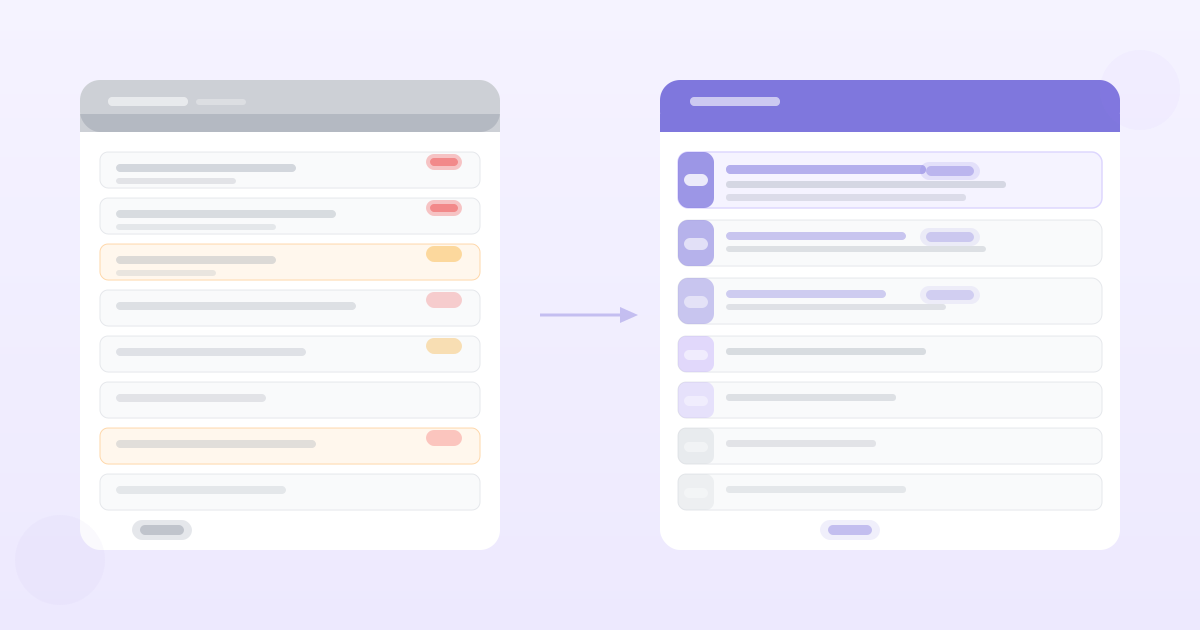
Product Backlog Prioritization: How to Get from 200 Items to 10 That Actually Matter

The average product backlog is not a prioritized list. It's an anxiety archive.
Every customer request that seemed important at the time. Every bug that didn't quite make it into the last sprint. Every "we should do this someday" from a leadership offsite three years ago. All of it sitting in Jira or Linear or a spreadsheet, waiting for the sprint planning session where someone will scroll through it and feel overwhelmed.
Product backlog management isn't a periodic exercise — it's an ongoing practice that separates teams who ship coherently from teams who ship reactively.
Here's how to approach it.
The Problem With Most Backlogs
Most backlogs fail for three reasons:
Everything goes in, nothing comes out. Items accumulate without a policy for archiving or deleting. A backlog with 500 items that includes requests from 2021 is not a planning tool — it's a liability.
No consistent format. Some items are bugs, some are features, some are vague ideas, some are technical debt. Mixed types make comparison impossible.
No connection to current strategy. Items that made sense under a previous strategy persist long after the strategy changed. The backlog doesn't know your company pivoted.
The Two Types of Backlog Work
Before you can prioritize a backlog, you need to separate it into two categories that require different treatment:
Committed work — Things you've told customers, stakeholders, or your engineering team you will build. These are not prioritized against other items; they're commitments with deadlines or sequences.
Candidate work — Everything else. This is what you actually prioritize.
Mixing committed work with candidate work produces a list that can't be honestly ranked — committed items aren't competing with candidates on merit, they're committed regardless of merit.
The Backlog Refinement Cycle
Good product backlog management runs on a regular cadence, not on a heroic pre-sprint scramble.
Weekly: Triage new items
Everything that enters the backlog in the past week gets triaged in 30 minutes. Triage is binary: is this worth keeping at all? If yes, does it belong in the "committed" or "candidate" category? Does it have enough information to be worked on, or does it need more research first?
Items without enough information go into a "needs research" state — not into the main backlog where they'll clutter up priority sorting.
Monthly: Rank the top 20
The full backlog doesn't need to be ranked. You only need a ranking for the next 4–6 weeks of work. Monthly, take the top 20 candidate items and rank them using your chosen framework.
Quarterly: Archive or delete old items
Items that haven't moved in 6 months and don't connect to current strategy are archived. Not deleted — archived. You may want to look at them later, but they shouldn't be in the active backlog cluttering prioritisation decisions.
How to Actually Prioritize
The mechanics of backlog prioritization are well-covered by frameworks like RICE, MoSCoW, and weighted scoring. The harder part is getting the inputs right.
Customer evidence as the primary input. The items that should sit at the top of your backlog are the ones with the strongest customer evidence: multiple distinct customers have raised this independently, the problem is acute (they've built workarounds or it's causing churn), and your target segment is affected.
A feature request that came from a single enterprise customer during a deal is not the same as a problem that 8 of your last 12 customer interviews surfaced independently. Both are in the backlog. They shouldn't be ranked the same way.
Frequency-ranked customer signals matter more than loudness. The customer who sends the longest emails about a feature is not necessarily representative. The feature mentioned briefly by 12 different customers over 6 months often matters more than the one that generated a long thread with a single customer.
Tie each item to the metric it affects. "Filter by date" is a vague item. "Filter by date — expected to reduce average time-to-insight for returning users, which is currently a friction point in week-2 retention" is a prioritizable item. If you can't name the metric it affects, you can't rank it against other items that can.
Backlog Grooming With Multiple Stakeholders
In most product teams, multiple people feed items into the backlog: sales, customer success, support, engineering, leadership, and the PM themselves. This is appropriate — the backlog should aggregate signals from everywhere.
The PM's job is not to accept everything into the prioritised backlog. It's to evaluate input against the current strategy and customer evidence, and to communicate clearly about what's in scope and what isn't.
A practical approach:
- Incoming request review: Weekly, the PM reviews all incoming requests with a simple question: does this align with current strategy and target customer? If no, it goes to a holding area, not the active backlog. The requester gets a response explaining why.
- Quarterly stakeholder review: Show the top 20 items to key stakeholders. Get their input on items they have specific context about. Don't let the review turn into a negotiation session where rank gets adjusted based on who argues loudest.
Agile Backlog Grooming Mechanics
For teams running agile sprints, backlog refinement sessions (also called backlog grooming) serve a specific purpose: making sure the top 2 sprints' worth of work is fully specified, estimated, and ready to be picked up by engineering.
A backlog item is ready to pick up when it has:
- A clear acceptance criterion (Given/When/Then)
- An engineering estimate or T-shirt size
- Any design assets that are needed
- Dependencies identified
Items without these are not sprint-ready. They go back to the PM to finish before the next refinement session.
Refinement sessions should be time-boxed (45–60 minutes), focused on the next 2 sprints, and led by the PM. Their purpose is not prioritisation — that's already done. Their purpose is readiness: ensuring that when engineering picks up an item, they have everything they need.
AI Backlog Grooming
AI backlog grooming tools can accelerate the synthesis step — pulling themes from customer feedback, identifying frequency patterns across inputs, and flagging which backlog items have the most customer evidence behind them.
The output of good AI-assisted grooming is not "here's your ranked backlog." It's "here's the customer evidence that exists for each candidate item, ranked by how many distinct customers raised it" — which gives the PM better inputs for the prioritization decision they still need to make.
PMRead does this for your insight data: as you upload customer interviews and feedback, it extracts and frequency-ranks problems and requests across all your sources, so your backlog prioritization has real customer evidence behind it rather than PM memory.
Use the free Product Backlog Template to structure your candidate items with the fields you need for honest prioritisation.
Want PRDs grounded in your actual customer data?
PMRead ingests your interviews, Slack threads, and feedback files — and generates PRDs backed by real evidence, not guesses.
Try PMRead free →