Customer Journey Mapping for Product Managers

Most customer journey maps are built in a workshop, look impressive on a Miro board, and are never referenced again.
That's not a problem with journey mapping as a method — it's a problem with how PMs use it. A user journey map is only useful if it changes a product decision. If the map doesn't lead to a specific "therefore we should build X differently," it was a worthwhile exercise that stopped one step short of being useful.
Here's how to build customer journey maps that inform what you ship.
What a Customer Journey Map Actually Is
A customer journey map is a visual representation of the steps a specific customer takes to accomplish a specific goal — including what they're thinking, feeling, and doing at each step.
The key words are specific customer and specific goal. A journey map for "all users" doing "using the product" is too broad to produce insights. A journey map for "a first-time PM at a Series A startup" doing "going from a customer interview to a finished PRD for the first time" produces specific, actionable findings.
The Four-Layer Structure
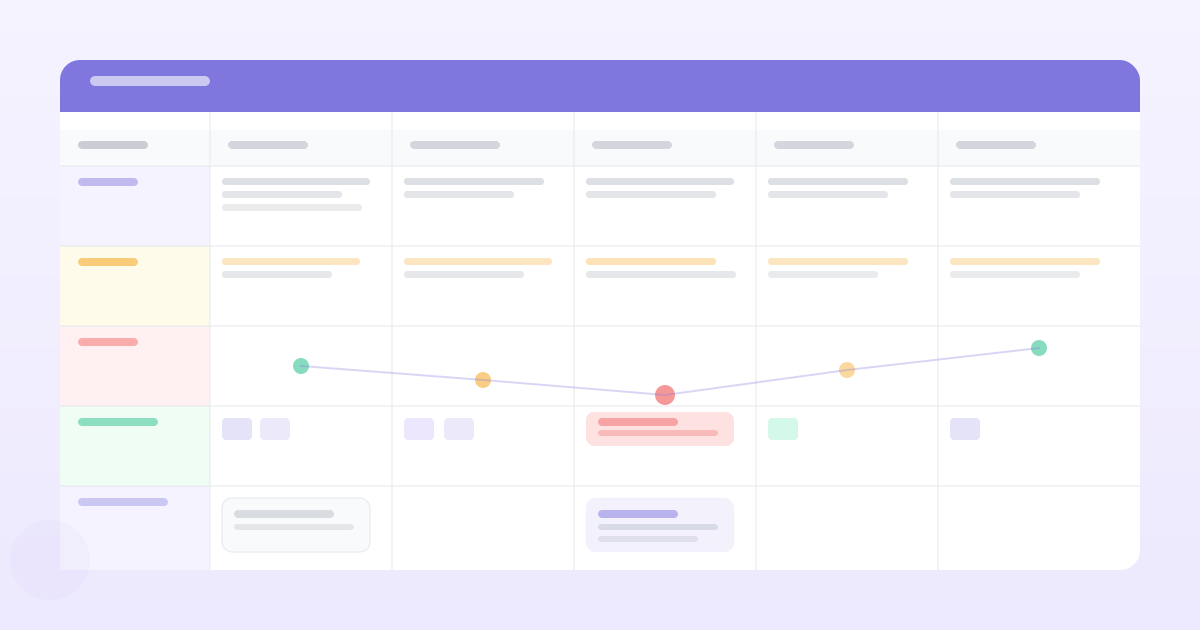
Every useful customer journey map has four layers for each stage:
Actions — What is the customer actually doing? Not what they're supposed to do — what they actually do. "Opens a new Google Doc, pastes the interview transcript in, highlights the parts that seem important, creates a new doc for the PRD, starts writing from memory because the transcript is too long to keep referencing."
Thoughts — What are they thinking at this stage? "I don't know if I've read this correctly. Am I missing something important? Is this too long to put in a PRD or should I summarize?"
Emotions — How do they feel? This is where the honest signal lives. "Overwhelmed at the volume of text. Unsure whether what I'm extracting is what matters. Anxious that I'm going to present a PRD based on a misreading."
Touchpoints / tools — What tools, people, and systems are they interacting with? Google Docs, the interview recording, Slack (to ask a colleague), Notion (where the PRD template lives).
The emotion layer is usually the most valuable one for product teams because it surfaces where the experience is genuinely painful — not just inconvenient.
How to Build One That's Actually Useful
Step 1: Define the scope before you start
Pick one customer segment and one job they're trying to do. Write it at the top of the map before you add anything else.
"Customer: early-career PM at a B2B SaaS startup, doing PM work full-time for the first time.
Goal: turn a batch of customer interview recordings into a PRD their engineering team can build from."
If you're not sure which segment and goal to map, the answer is: the one where you have the weakest insight and the highest churn signal.
Step 2: Source from real behaviour, not assumptions
The biggest mistake in journey mapping is running the workshop with internal team members who guess at the customer experience. The map should be built from:
- Direct observations (watching a user do the task, ideally screen-recorded)
- Customer interview transcripts and notes
- Support tickets that reference friction in this journey
- Session recordings if available
For each stage, ask: "how do I know this is what customers actually do?" If the answer is "we think" or "it makes sense that," that cell needs customer validation before it's useful.
Step 3: Mark the moments of friction explicitly
After mapping the full journey, go back through and mark the moments where:
- Emotion drops to frustrated, anxious, or confused
- The customer uses a workaround (a sign the product isn't handling something well)
- The customer relies on a tool outside your product (a sign of a gap)
- Customers drop off entirely (if you have analytics data)
These friction points are your product opportunities. Each one is a potential PRD.
Step 4: Map friction to impact
Not all friction is equal. Prioritise the friction points by two dimensions:
Frequency — How many customers experience this friction? A pain that affects 80% of users in this journey is more important than one that affects 5%.
Severity — How much does it affect the customer's ability to complete the goal? Friction that causes users to abandon the journey entirely is more severe than friction that slows them down.
The top-right quadrant (high frequency, high severity) is your roadmap input.
What Makes a User Journey Map Useful vs. Decorative
Useful: Built from customer evidence, updated when new research changes the picture, referenced explicitly in PRDs and roadmap discussions.
Decorative: Built in a workshop from team assumptions, presented once at a design review, never updated, never mentioned in a product decision.
The test: if you asked five engineers what the customer's biggest frustration is at step 3 of the onboarding journey, would they give consistent answers? If the journey map is being used, they would. If they don't know the map exists, it's decorative.
The Right Level of Detail
A journey map doesn't need to be a pixel-perfect Figma file. The most useful maps are often simple: a spreadsheet or a table with columns for each stage and rows for actions, thoughts, emotions, and touchpoints.
The value is in the content — the specific, evidence-grounded observations — not in the visual presentation. A detailed, sourced spreadsheet beats a beautiful Miro board that's built on assumptions.
When to Use a Journey Map
Journey mapping is most valuable:
- When you're designing or redesigning a core flow and need to understand the current experience in detail
- When your retention data shows users dropping off and you don't know why
- When you're entering a new segment and don't fully understand how they work
- When you're comparing your product experience against a competitor's
It's probably overkill for small iterative improvements to a flow you already understand well.
Download the free Customer Journey Map Template to structure your next mapping session with the four-layer format.
Want PRDs grounded in your actual customer data?
PMRead ingests your interviews, Slack threads, and feedback files — and generates PRDs backed by real evidence, not guesses.
Try PMRead free →